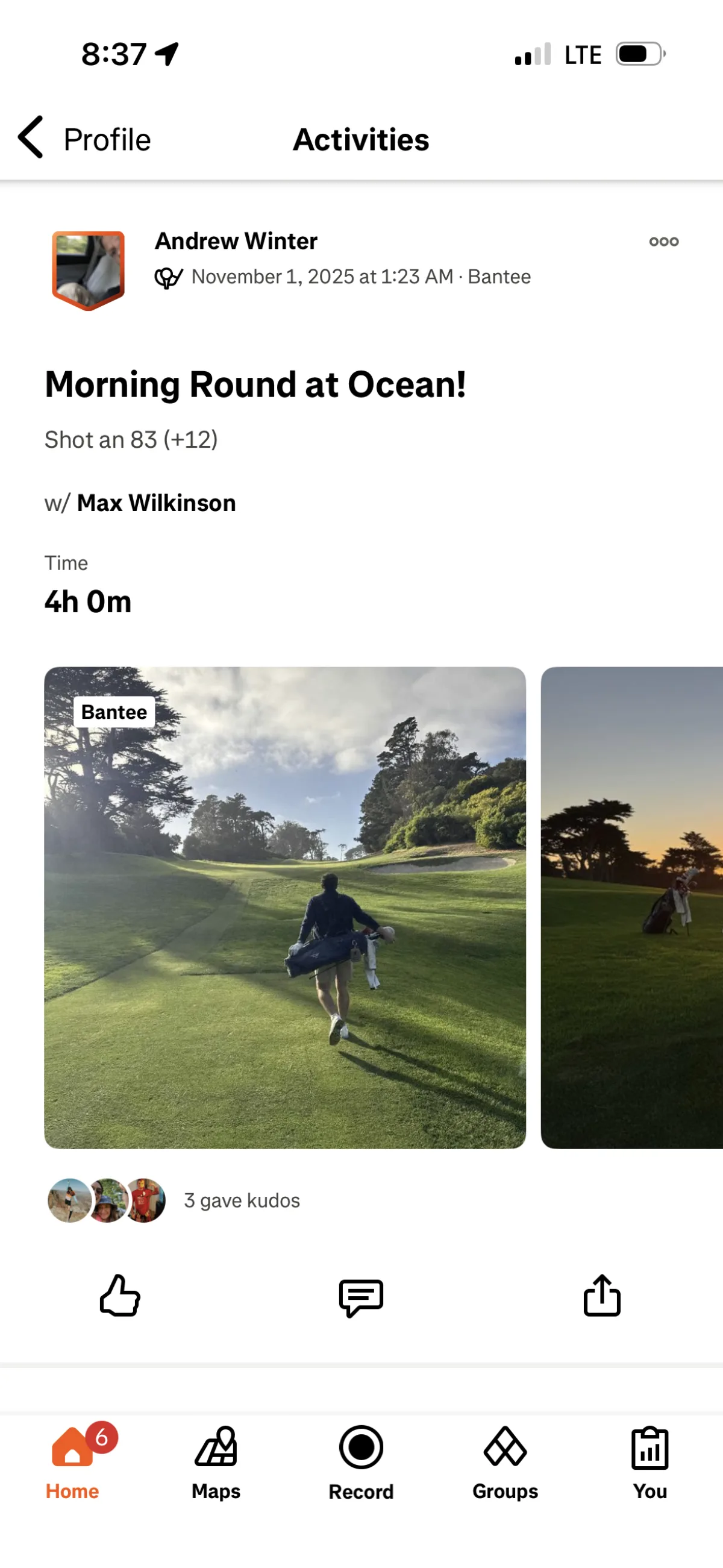
You finished the round. Fourteen thousand steps. Six miles. A birdie on 7 and a snowman on 15 you'd rather forget. You took a photo at the turn, another at the view from 18.
All of that — the walk, the sweat, the shots, the crew — belongs in your fitness story. Now it is.
Bantee syncs your golf rounds to Strava, so when you close out your scorecard, the whole picture goes with it: the distance covered, the steps logged, the photos you captured along the way.
More Than a Scorecard
Most fitness apps see a golf round and log a number. Steps: 12,000. Activity: walking. Done.
Bantee sees the round the way you lived it. The course you played. The group you played it with. The photo someone snapped mid-swing or at the par-3 overlooking the water.
When that round posts to Strava, it doesn't just show up as a generic activity — it shows up as a golf round, with photos attached, so your Strava followers actually see where you were and what the day looked like.
What Gets Shared
Steps and Distance — Tracked Through Apple Health
Bantee connects with Apple Health, so your step count and distance walked are logged in real time during your round. By the time you tap the final putt, the fitness data is already there. Strava gets the real numbers — not an estimate.
A typical 18-hole walk: 12,000–16,000 steps, 5–7 miles. That's not a light day.
Photos From the Round
Any photos you take or share in Bantee during a round can go with the activity when it posts to Strava. Your Strava followers don't just see that you were active — they see the course, the crew, the conditions.
The Round Itself
Course name, date, and round details post alongside the fitness data. Golfers on Strava will recognize it immediately. Non-golfers will start asking questions.
Auto-Sync or Manual — Your Call
Once you connect Strava, rounds set to Everyone visibility sync automatically after your scorecard is confirmed. You don't have to do anything.
Want more control? Go to any Round Summary and share individual rounds by hand — including rounds you've already played.
The integration can be toggled on or off anytime from Connected Apps & Devices.
How to Connect
- Open Bantee and tap your profile
- Tap the menu icon in the top right
- Go to Connected Apps & Devices
- Tap Strava and authorize the connection
That's it. Your next round posts automatically.
The Full Picture
Bantee already connects with Apple Health, GHIN, and Instagram. Strava is the next piece — built for golfers who take their fitness seriously and want their golf life and their active life to actually talk to each other.
Connect Strava in the app today. Your next round will be there waiting for your followers.